
Appearance
Team Activity
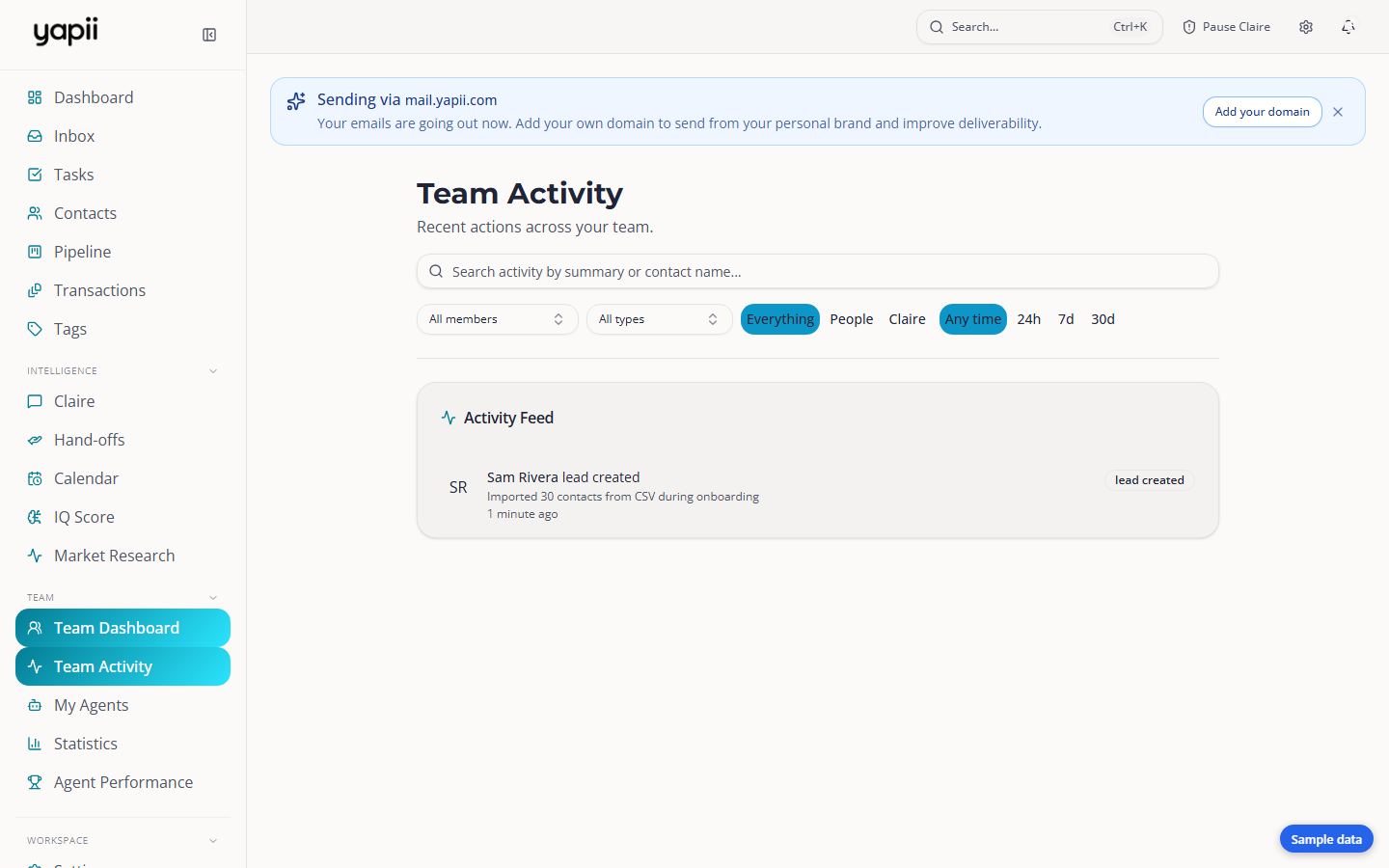
Team Activity is a live feed of what everyone on your team has been doing: emails, texts, calls, notes, appointments and more, including what Claire did.
Owners, admins and managers
Only owners, admins and managers can open Team Activity, and only in workspaces with a team.
Open Team Activity from the left menu, under Team.
Filtering the feed
Use the filters at the top to narrow it down:
- Search by what happened or by a contact's name.
- Member: everyone, just you, or one person.
- Type: for example Email, SMS, Calls, Replies, Notes, Appointments, Deals, Tasks or Handoffs.
- Source: Everything, People or Claire.
- Time: any time, or the last 24h, 7d or 30d.
Click Clear filters to start again. Your filters stay in the page address, so you can bookmark a view or send it to someone.
Click Load more at the bottom to see older activity.
Why the Claire filter matters
Messages Claire sends on her own are recorded under the workspace owner's name. Choose People to see only what your team did, or Claire to see only what she did.