
Appearance
IQ Score
IQ Score ranks your contacts by how likely they are to list their home in the next 90 days, so you know who to call first. Every contact gets a score from 0 to 100.
Open IQ Score from the left menu, under Intelligence.
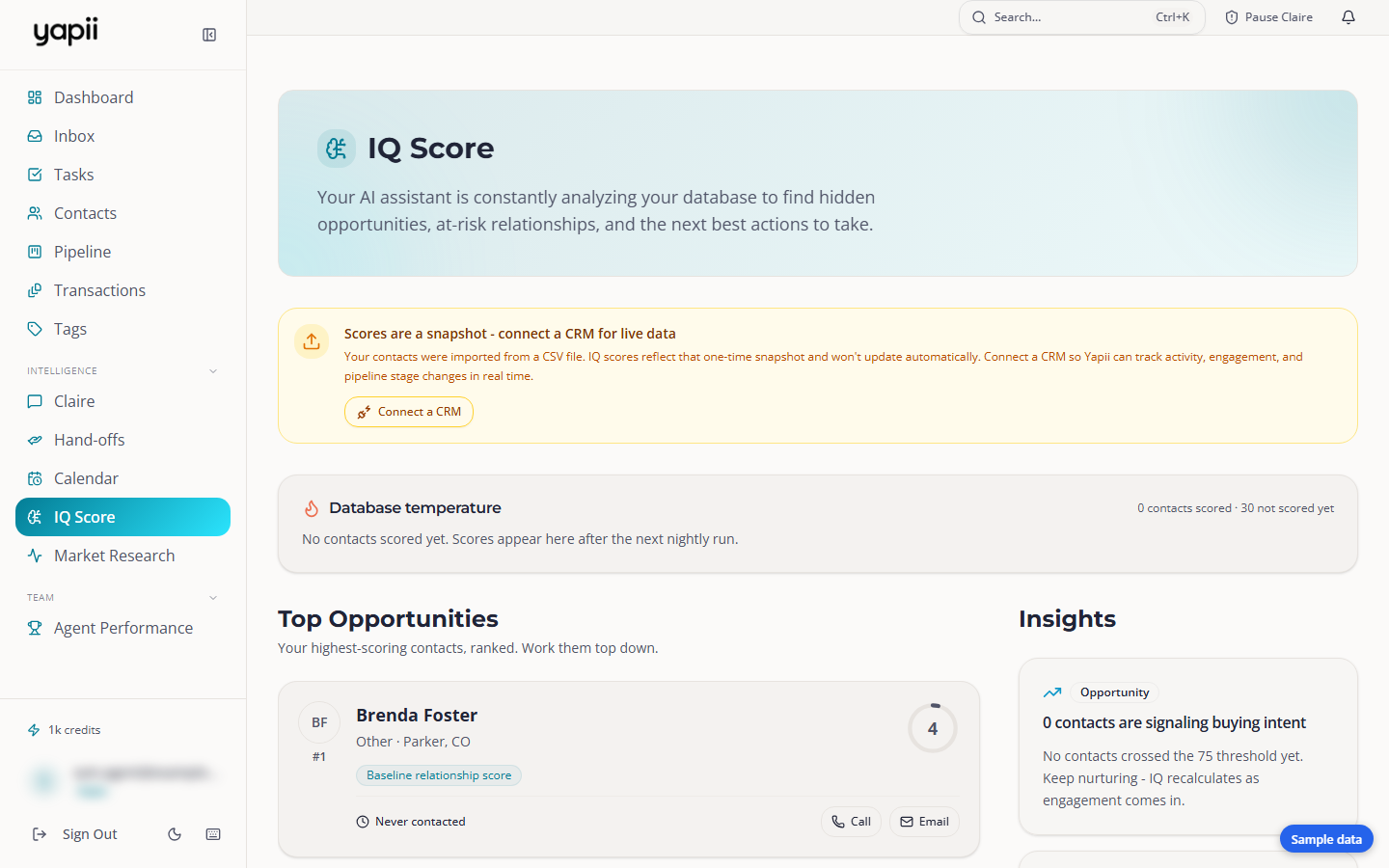
Database temperature
The Database temperature card splits your contacts into three groups:
| Group | Score |
|---|---|
| Hot | 75 to 100 |
| Warm | 60 to 74 |
| Cold | 0 to 59 |
Click View these contacts under a group to open your contacts list showing just those people.
Top Opportunities
Your 24 highest-scoring contacts, ranked. Work them from the top down. Each card shows:
- the score and where they rank;
- their lead type, location and budget, where Yapii knows them;
- up to three reasons for the score;
- when you last got in touch ("Never contacted" if you haven't), and when to follow up.
Call and Email open your own phone or email app. Yapii doesn't send anything from here.
To work through everyone, open Contacts and sort by score.
Insights
Down the side, Yapii points out opportunities, risks and suggestions, such as a group of contacts who haven't heard from you in a while. Click Affects N contacts to see who they are.
Keeping scores fresh
- If you imported a file instead of connecting a CRM, the scores are a snapshot of that file. Click Connect a CRM to keep them up to date.
- If your import is more than 30 days old, Yapii suggests Re-import contacts.
- As you close deals, Yapii learns what your best leads had in common and adjusts the scores. Once it has, you'll see Model adapted from N outcomes.
Whose scores you see
You only see scores for contacts you're allowed to see. See Who sees which contacts.
If the page is empty
"Not enough data yet" means Yapii needs more contacts before it can rank them. Import your contacts or connect a CRM. See Importing contacts.