
Appearance
Inbox: texts, email and calls
The Inbox holds every conversation with your contacts in one place: texts, emails and calls. (Texts used to have a page of their own; they now live here.)
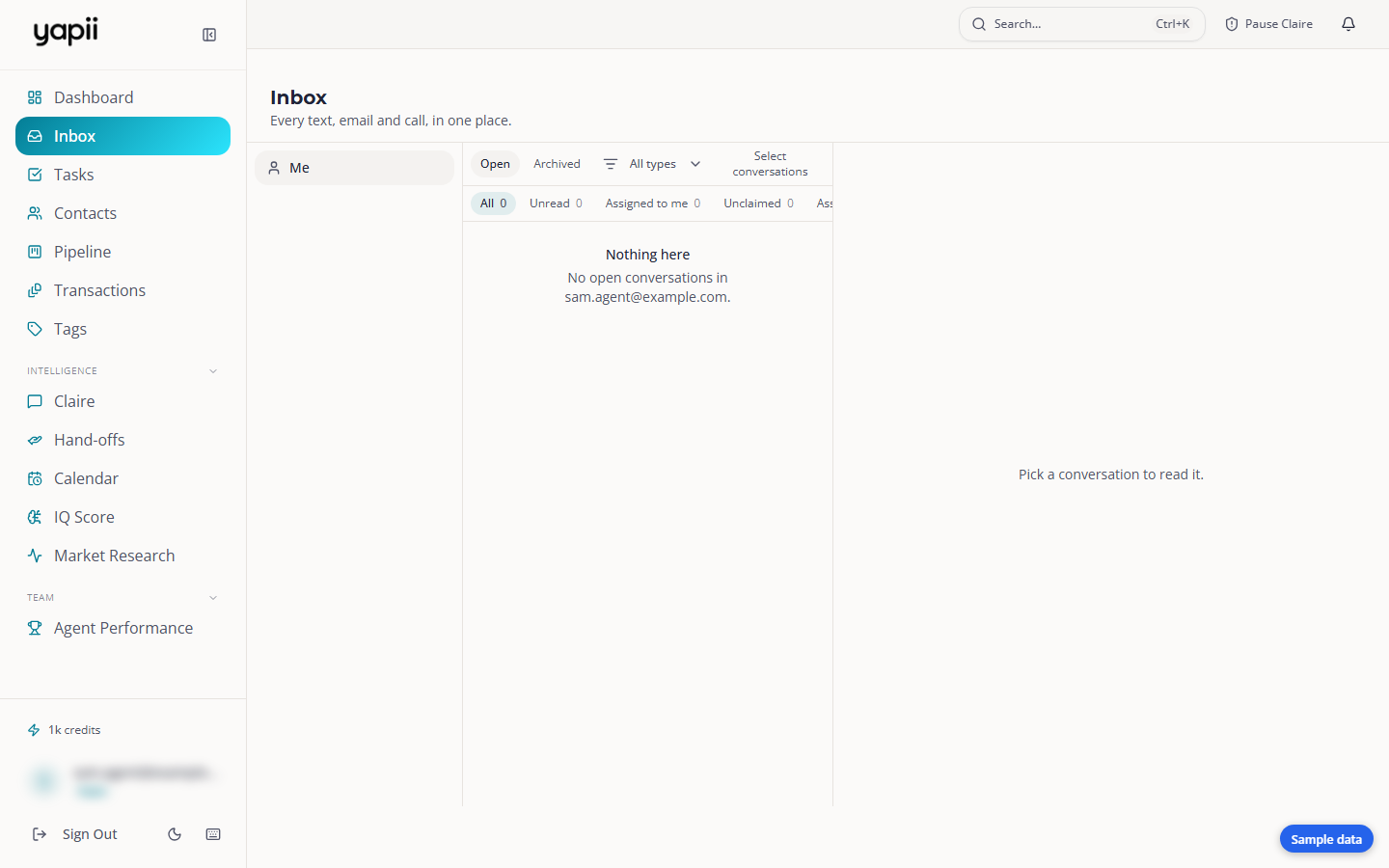
Around the Inbox
The Inbox has three columns:
- Mailboxes (left). The inboxes you can open, each showing how many unread conversations it has.
- Conversations (middle).
- Switch between Open and Archived.
- Filter by Emails, Texts and Calls.
- Select several conversations to act on them together.
- The conversation (right). The full thread, with the contact's details beside it.
Each conversation shows two things that are easy to mix up:
- Who's handling it: the person answering this conversation right now.
- Who owns the contact: the agent the contact belongs to.
Texts that arrived on a particular phone line are labeled with that line's name, for example "Yard signs".
Mailboxes
| Mailbox | Who can see it |
|---|---|
| Your personal mailbox | Only you. Not even owners or admins can open it. |
| Team and shared mailboxes | Owners, admins and the people added to that mailbox. |
Working a conversation
- Assign it, for example to yourself, so the team knows who's answering.
- Mark as read or unread.
- Close it when it's done. It moves to Archived, and a new message reopens it.
- Reply. You can:
- send a text, using a template if you like; or
- if Claire is handling the lead, give Claire a note for her next message instead of replying yourself.
Texts from unknown numbers
When someone who isn't a contact texts one of your numbers, Yapii creates a contact for them and the conversation appears in the Inbox. Open it to rename the contact or link the message to the right person.
Sending a text from a contact
You can also text from a contact's page. Before any text goes out, Yapii checks:
- the contact hasn't opted out and isn't on your suppression list or marked Do Not Contact;
- it's within calling hours in the contact's time zone (you can still reply right away to someone who has just written to you);
- your workspace has text credits and hasn't hit its sending limit.
If a text is blocked, the message tells you why. The rules are explained in Texting and calling rules.
Claire-only workspaces
Some workspaces are set so that only Claire texts contacts. In that case you'll be asked to reach the contact through Claire instead.
Calls
- Call a contact from their page, or have Claire call them.
- Calls appear in the Inbox under the Calls filter and on the contact's timeline.
- Recorded calls get a short summary and coaching notes: what went well, what to improve, and a suggested next step.
Your connected Gmail or Outlook
If you connect your own Gmail or Outlook mailbox, Yapii copies emails with people who are already your contacts onto their timelines. It also reads your calendar so Claire doesn't book over your events. It only brings in mail with existing contacts.
Claire doesn't answer your personal inbox
Claire answers replies to her own texts and emails. If a lead writes to your personal address, reply to that one yourself.
Phone numbers
Owners
Buying and assigning phone numbers is in Settings, under Phone & Connected Services.
A number can belong to one agent, to a shared inbox, or to the whole workspace. Replies to an agent's number go to that agent.