
Appearance
Plans, billing and credits
Owners
Only the workspace owner can change the plan, buy credits or cancel. Admins can see the Billing section but can't make purchases.
Billing lives in Settings, under Billing.
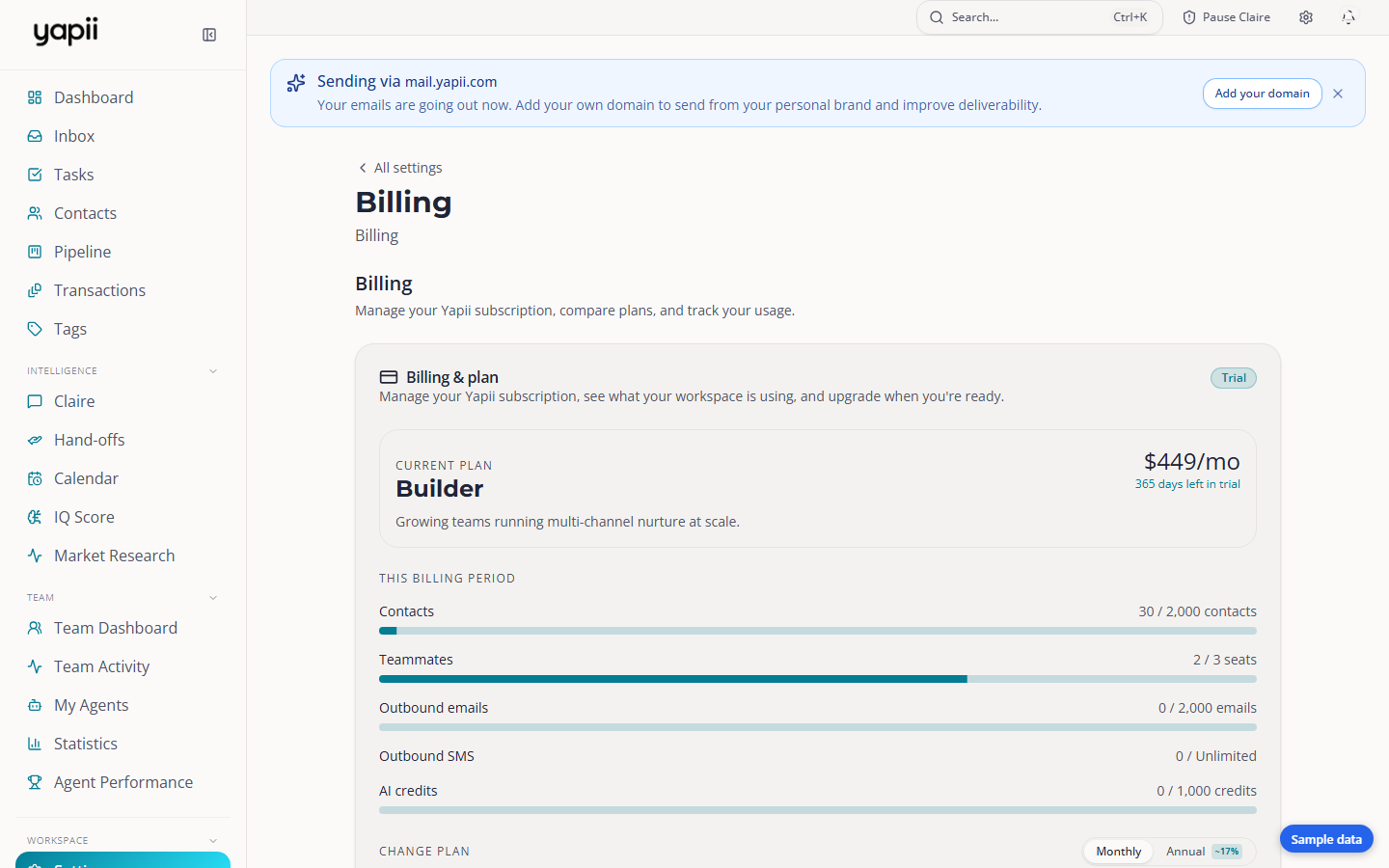
The plans
| Plan | Seats | Contacts included | AI credits each month | Also includes |
|---|---|---|---|---|
| Operator | 1 | 500 | 400 | |
| Builder | 3 | 2,000 | 1,000 | Your own branding |
| Expansion | Unlimited | 10,000 | 2,500 | Single sign-on (SSO) |
| Enterprise | Unlimited | 25,000 | 7,500 | Custom terms, arranged with our team |
You can pay monthly, or yearly at a lower monthly price. Current prices are on the Yapii pricing page and at checkout.
Changing your plan
- Upgrading takes effect immediately. You're charged the difference for the rest of the billing period.
- Downgrading is allowed as long as your team fits in the smaller plan's seats. If it doesn't, remove people or cancel pending invitations first.
When you reach a limit
If you hit a limit, for example the most contacts or landing pages your plan allows, Yapii shows what you've used and offers a one-click upgrade.
Contacts work a little differently:
- On a paid plan, imports and CRM syncs keep going past your limit. Extra contacts are billed at $40 per 1,000 contacts per month.
- Adding a single contact by hand at the limit asks you to upgrade instead.
AI credits
AI credits pay for things like:
- Claire's calls and texts;
- AI writing and research;
- property data lookups.
How they work:
- Your plan includes a monthly amount, which resets on the 1st of every month.
- Monthly credits are used first, then any credits you bought.
- Top-up packs are one-off purchases and never expire.
- A Boost is a monthly add-on that gives you more credits every month. You can have one Boost at a time, and Boost credits don't roll over.
If you run out: anything that needs credits stops, and Claire pauses automatically. She starts again when your credits reset on the 1st, or sooner if the owner buys a top-up and resumes her.
Your card and invoices
In Settings, under Billing, click Open billing portal. From there you can update your card, download invoices and see your subscription.
If a payment fails
| When | What happens |
|---|---|
| Day 0 | The payment fails and the owner gets an email. |
| Day 3 and day 7 | Reminder emails. |
| After day 7 | The workspace becomes read-only. You can still see everything, export your data and fix billing, but you can't make changes. |
Update the card in the billing portal. Access comes back as soon as the payment goes through.
Pausing or canceling
The owner cancels in Settings, under Billing. You'll be asked why, and offered a 30-day pause instead:
- Pause: billing stops for 30 days and your workspace stays as it is. You can pause once every 12 months. Yapii emails you 3 days before it restarts.
- Cancel: you keep access until the end of your paid period, or for 30 days, whichever is later. After that the workspace is locked, but your data is kept.
Add-ons
| Add-on | What you get |
|---|---|
| Transactions | Manage deals under contract: documents, checklists, key dates and people. Ask the Yapii team to turn it on. See Transactions. |
| Claire Number Warmup | $250 a month for 25 dedicated phone numbers for Claire's calls. They're warmed up gradually so carriers don't flag them as spam. New numbers can't send texts for about 10 days while carrier registration completes. |